


AI productivity tools are ushering in a new era of workplace efficiency. These innovative solutions can automate mundane, repetitive tasks and free up workers’ time for more meaningful endeavors. Moreover, the recent surge in AI has led to a wide range of such tools.
However, navigating through this abundance of AI software can be overwhelming. How do you decide which tool aligns best with your specific needs, and how do they all stack up against each other?
This article explores some of the most useful AI tools available today and explains how they can enhance productivity within organizations. We will also discuss the top AI tools to improve organizational efficiency in 2026.
Let’s dive in!

Source: rawpixel.com on Freepik
Types of AI Productivity Tools
Before we name any specific solutions, let’s go over a few different types of AI tools that are particularly well-suited for enhancing productivity in the workplace.
Task automation tools
Task automation tools automate repetitive, time-consuming tasks that often consume a significant portion of an average professional’s workday. From data entry to file organization, task automation software can be customized to address a wide array of responsibilities.
Chatbots
Chatbots are conversational agents powered by AI that interact with users, providing instant responses to queries and guiding them through various processes. They not only improve communication efficiency for customer service and sales teams but also enhance the user experience (see a list of other tips and tricks for a better user experience). As a result, they significantly reduce human workload, allowing them to focus on more complex or specialized issues.
Resource allocation tools
AI-driven resource allocation solutions optimize organizational efficiency by analyzing variables such as project timelines, employee skills, and budgets. Using data-driven insights, these tools facilitate collaboration among team members and manage workforces by aligning skills with task requirements, thereby ensuring consistent execution. Resource allocation software often includes features such as budget optimization, project prioritization, and scalability.
Note-taking tools
If you’re still manually jotting down meeting minutes or transcribing relevant audio and video files by hand, you must look into AI note-taking software. These tools automate the capture of meeting information using speech-to-text technology. Many AI note-taking tools today can accurately distinguish between different speakers and accents, highlight key discussion points, and generate smart summaries.
Analytics tools
AI analytics tools can automatically (and near-instantly) identify patterns and correlations in data and provide actionable insights for decision-makers. From predictive analytics to sentiment analysis, these tools help companies make strategic decisions based on real-time data – and they do so faster and more accurately. For instance, an AI-powered revenue growth calculator provides more accurate forecasts by considering a company’s KPIs and producing a concrete number of leads the company would need to acquire to achieve them.
Best AI Tools for Enhancing Productivity
Finally, let’s look at our selection of the top five AI tools that enhance productivity in the workplace.
1. Tableau AI

Tableau AI is a robust software used for data visualization and business intelligence, and an excellent solution for automating repetitive tasks. This AI-powered tool facilitates seamless connectivity to diverse data sources, enabling users to transform raw data into visually compelling insights.
Thanks to its advanced algorithms, Tableau AI can automate tasks such as data preparation, predictive analytics, and natural language processing. This enhances the efficiency of data analysis and makes it more accessible to a broader audience (i.e., teams not necessarily versed in data analysis).
Key features of Tableau AI include:
- Data exploration
- Drag-and-drop interface
- AI-powered insights
- Integrations with various data sources
Tableau AI is tailored for finance professionals, data analysts, and business intelligence teams seeking to streamline and enhance their analytical processes.
2. Grammarly

If your work involves writing, you probably already know about Grammarly. This app has been around for several years, but it has recently introduced some neat AI features.
GrammarlyGO is an extension that enhances the writing process through generative AI capabilities. It also seamlessly integrates with Grammarly and offers a range of productivity-enhancing features.
GrammarlyGO features help users outline blog posts, generate ideas, seek improvement suggestions, rewrite text, and compose emails with specific tones. However, one of the best features of this tool is its capacity to learn and adapt to your writing tone, allowing you to set personalized goals. It then provides numerous style suggestions to achieve the desired tone or enhance sentence flow.
Key features of Grammarly include:
- User-friendly interface
- Continuous learning tools
- Real-time checking and suggestions
- Integrations with widely used platforms such as Gmail, Google Docs, and Slack.
3. Fathom

Fathom is an AI-powered note-taking app whose primary selling point is that it is entirely free to use. It provides seamless integrations with other popular collaboration and productivity platforms like Slack.
Fathom also integrates with Salesforce, HubSpot, and Close, ensuring the transfer of highlights and notes to corresponding Contacts, Accounts, and Opportunities.
An innovative feature of Fathom is its ability to automatically generate call and action item summaries while the meeting is still ongoing. Users can easily drop these summaries into platforms like Notion, Google Docs, Asana, Todoist, and Gmail with a single click.
The Team Edition of Fathom comes with additional features tailored to facilitate the widespread adoption of Fathom within an organization. It provides insights into all customer calls across the company, enhancing organizational awareness.
However, the free version of Fathom has no usage limitations – users can record as many calls as needed, and there is no cap on the number of users within a company. Importantly, there is no obligation to upgrade to the Team Edition, as the free version will remain free, continuously improving without compromising user data to third parties.
Fathom’s accurate transcription capabilities ensure no details are missed, while the summaries and highlights help users understand key conversation points quickly. Fathom comes highly recommended for anyone seeking to stay on top of their virtual meetings.
Key features of Fathom include:
- Automated note-taking and transcription
- Smart summaries
- Meeting highlights
- Screen recording
4. Simplified

Simplified is quite a handy tool, given its wide range of helpful capabilities. Namely, it’s designed to simplify your job across various fields, from more creative areas like copywriting and graphic design, to social media management.
Simplified can generate plagiarism-free text in more than 30 languages and create quality images and presentations. It includes a powerful video generator with a subtitle generator and a YouTube Shorts feature.
Apart from creators, Simplified is especially aimed at marketers who can generate materials, collaborate, and publish to socials all in one place, thanks to the in-app publishing feature.
Key features of Simplified include:
- AI writer
- Graphics and video editor
- Many templates
- In-app social media publishing
Overall, Simplified is a solid tool for content creation and marketing if you want to streamline your workflow and scale your operations.
5. Coupler.io
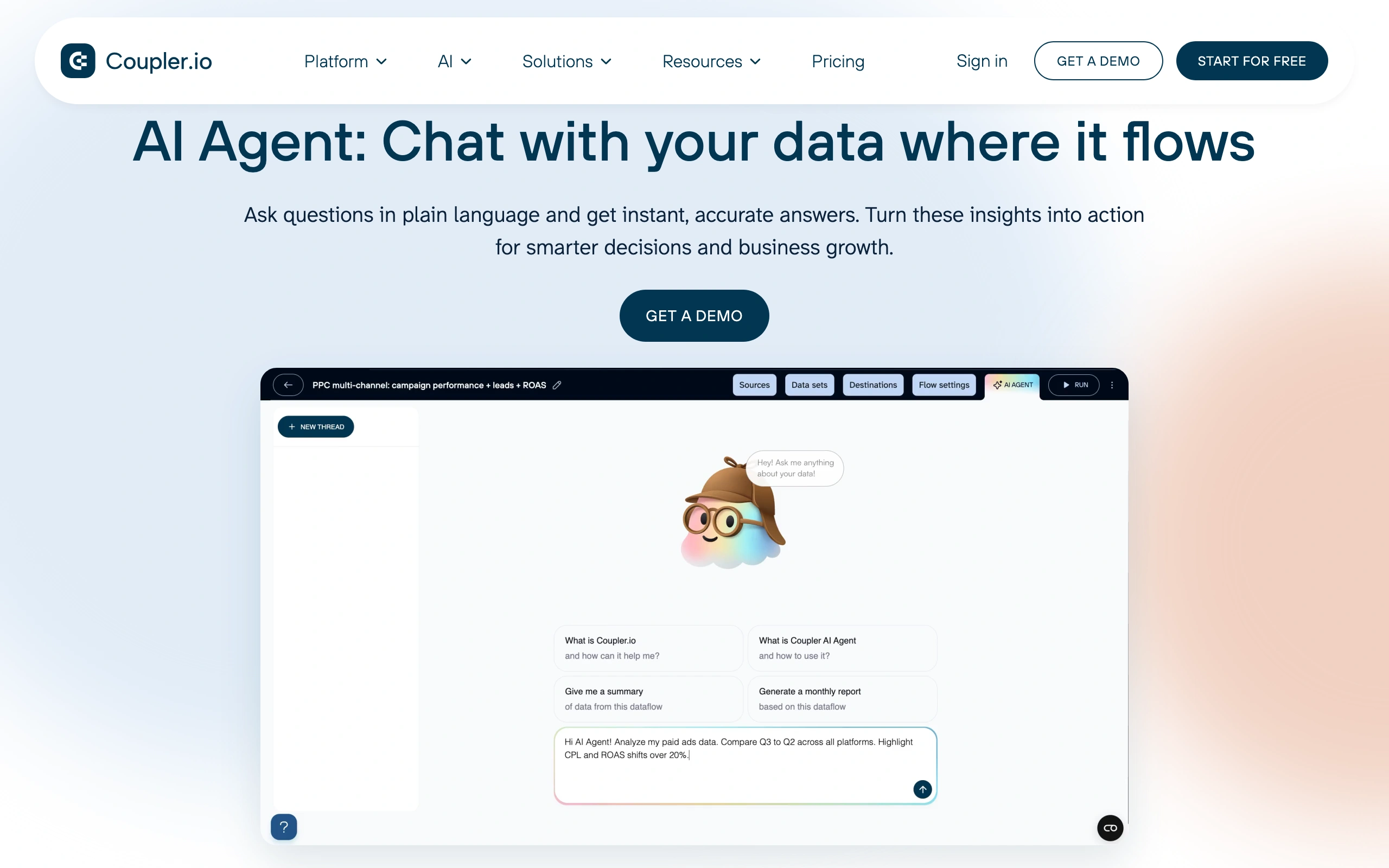
Coupler.io is a data integration platform and AI analytics that helps businesses turn raw data into actionable insights. It automates data collection, organization, transformation, and reporting, making it easier to make.
Teams love how it automates workflows, freeing up time for analysis and decision-making. Whether you’re monitoring sales, generating reports, or syncing marketing metrics, Coupler.io makes complex integrations accessible for non-technical users.
Alongside automated imports, it offers scheduled updates, multiple destinations, and advanced filtering to ensure you only get the data you need. You also get templates and step-by-step guidance for common workflows, so getting started is quick and easy.
Key features of Coupler.io include:
- Supports multiple destinations: Google Sheets, Excel, BigQuery, and more
- Prebuilt templates for marketing, sales, finance, and analytics workflows
- AI integrations for analysis via plain language queries
- AI agent: a feature to ask questions about your data flows directly in the app
Overall, Coupler.io provides AI Insights that interpret and recommend on data directly in dashboards to support your efficiency.
6. Monday.com

Monday.com is a popular AI-powered online collaboration platform that allows teams to organize and track their work. Teams can use it to easily log tasks and update them with status reports, creating a centralized hub where team members can view active tasks and their progress.
Monday.com’s initial setup involves a customizable grid where users create boards (similar to Excel sheets) to display various information. The platform also integrates Kanban board views, providing flexible task management. Each row represents a task, with columns indicating attributes such as deadlines and assigned individuals.
Key features of Monday.com include:
- Multiple views, such as Table, Calendar, Map, Kanban Board, Chart, and Timeline
- Integrations with over 50 apps, including Slack, Outlook, Microsoft Teams, Dropbox, Jira, and more
- Customizable attributes allow for a personalized user experience
While Monday.com caters to diverse project-oriented needs, it also positions itself as a sales and customer relationship management solution. This tool differs from specialized CRM solutions by being more team—and project-driven.
7. Synthesia
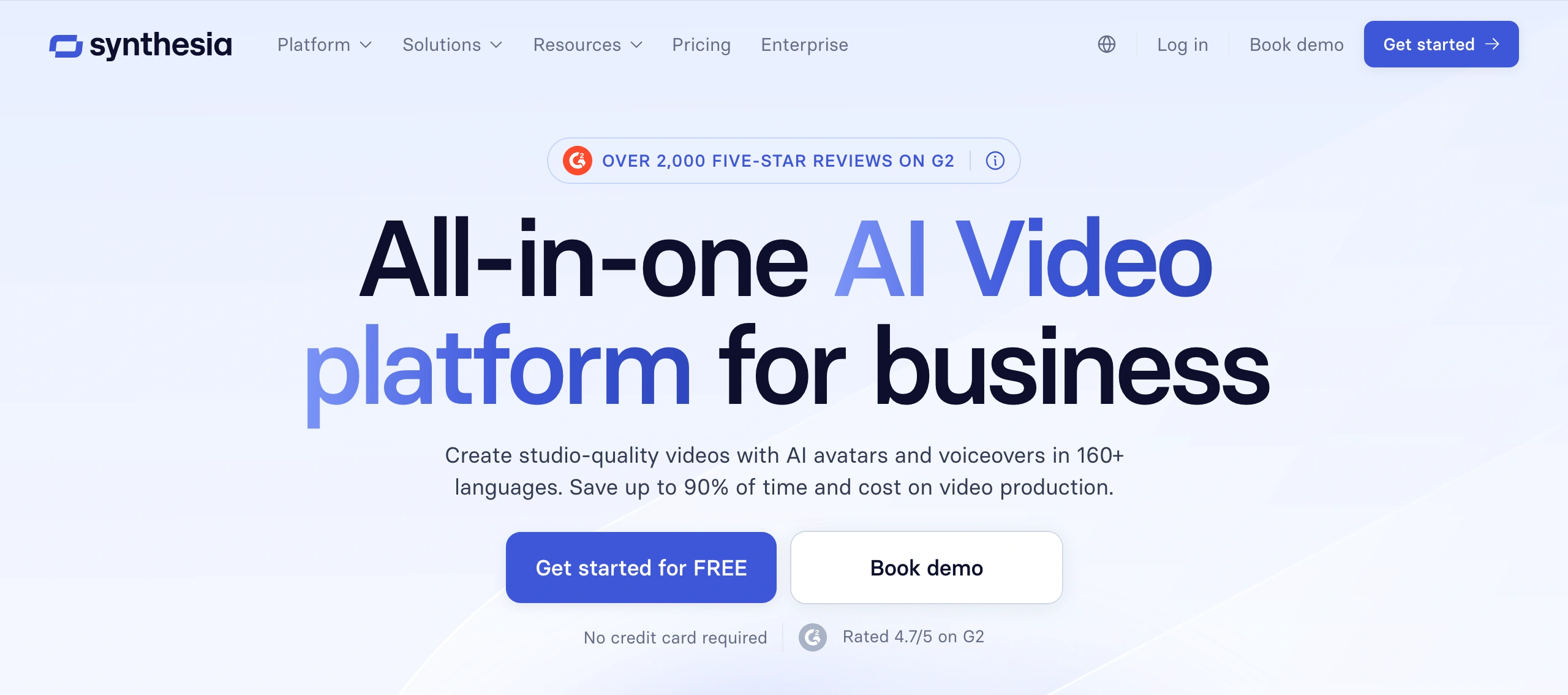
Synthesia is an AI-powered video creation platform that enables teams to produce professional videos without cameras, actors, or editing expertise.
With Synthesia, you can put together training content, onboarding clips, product explainers, or internal updates just by writing a script and choosing an on‑screen avatar and voice. It also handles multilingual video surprisingly well, so you can turn one core message into localized versions for different markets without rebuilding everything from scratch.
Beyond the avatars and AI voiceovers, you get screen recording, templates, and shared editing tools, so producing videos feels closer to working in a slide deck than running a full shoot. That mix tends to work especially well for HR and L&D teams, marketers, sales enablement, and customer support groups that need a steady stream of video content without the cost and complexity of traditional production.
Key features of Synthesia include:
- AI avatars and voiceovers
- Text-to-video generation
- Multilingual video translation and dubbing
- Screen recording and video templates
Overall, Synthesia is a strong solution for organizations seeking to create engaging video content faster while reducing production overhead.
8. HubSpot Breeze
HubSpot Breeze provides an AI-powered toolset designed to boost productivity across all business operations, including sales, marketing, and customer service.
You can use the platform’s AI assistant, the Breeze Copilot, to get work done whenever and wherever you need. The AI assistant can generate customer service ticket summaries, offer reply suggestions, quickly draft emails, summarize AI records, and so on.
There are also Breeze Agents. Think of them as specialized versions of the Breeze Copilot. You can use separate AI assistants specifically dedicated to content, social media, or prospecting, for example.
This allows you to perform more complex tasks. You can use them to create personalized content or prospecting emails using data from your CRM, generate social media posts and track their performance, and even set up fully-fledged landing pages. 
Key features of HubSpot Breeze include:
- Multi-channel content generation and repurposing
- Automatic data enrichment
- Contact form optimization
- Automatic lead scoring
Overall, HubSpot Breeze is an excellent platform to reduce workload and boost productivity across all business departments.
9. Zonka Feedback
Zonka Feedback helps you capture, understand, and act on customer feedback at every stage of the experience. You can send NPS, CSAT, CES, and custom surveys across multiple channels, including email, SMS, website, in-product, and offline, so you never miss a moment that matters.
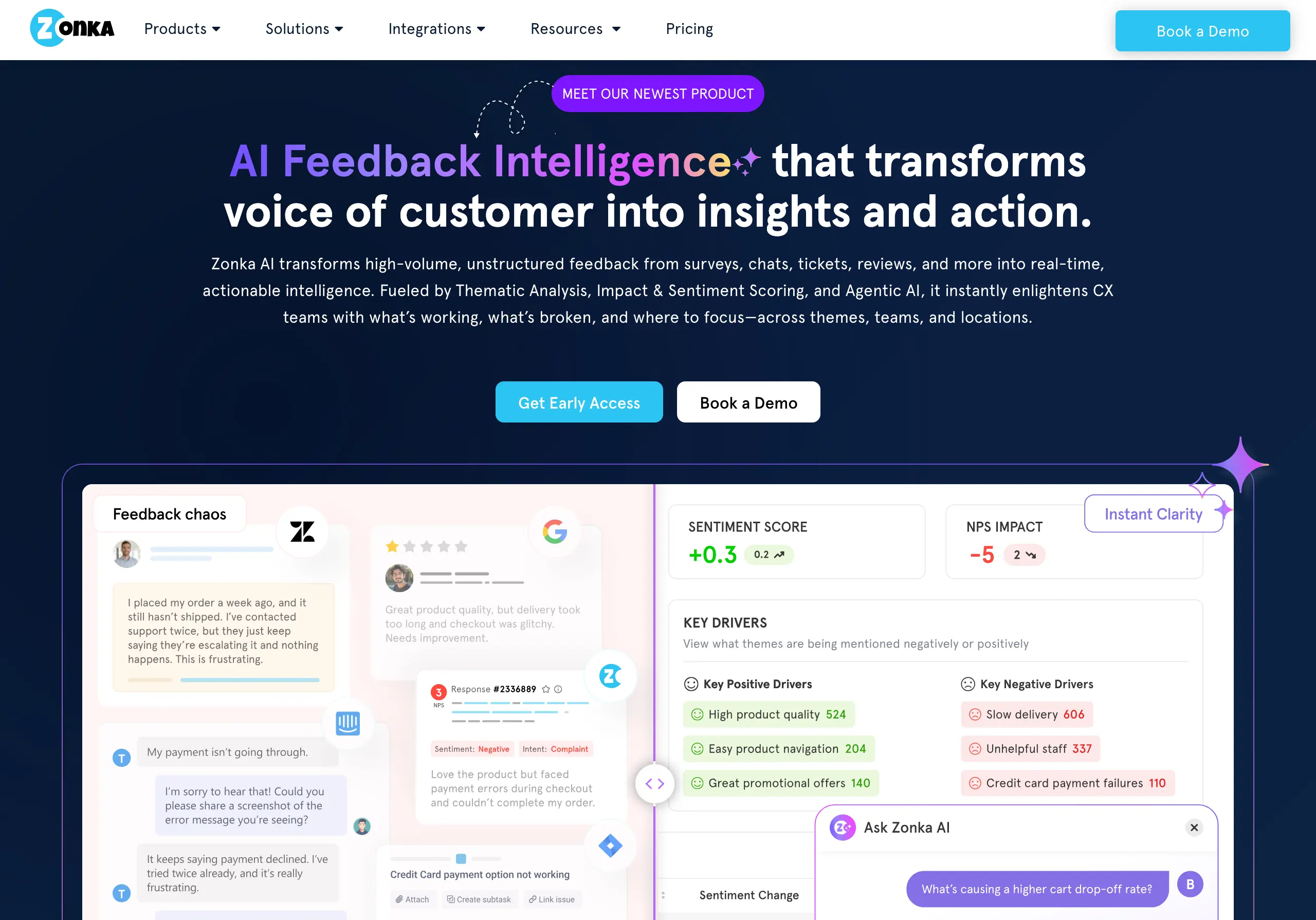
However, what truly sets Zonka Feedback apart is its AI-powered Feedback Intelligence. You can instantly analyze open-ended responses, detect sentiment, perform thematic analysis, and even identify churn signals without digging through piles of feedback. It’s like having an AI analyst that works in real-time, helping you connect the dots, take action faster, and close the feedback loop.
Key features of Zonka Feedback include:
- Omnichannel survey distribution
- Customizable templates and branding
- Real-time reporting and alerts
- AI-powered text and sentiment analysis
- Role-based dashboard
- Impact Analysis with AI co-pilot
Overall, Zonka Feedback is a great fit if you’re looking to combine feedback surveys with AI-driven insights in one platform.
Pros and cons of AI vs. non-AI tools

Source: rawpixel.com on Freepik
Although it’s hard to predict where future AI advancements will take us, it is clear AI is here to stay. But if you’re still on the fence about how AI tools compare to non-AI solutions, let’s look at some of their main aspects.
Regarding automation and efficiency, AI tools clearly win out by quickly and effectively handling repetitive, time-consuming tasks. They can handle routine processes and free up people’s time to focus on more strategic aspects of a project.
There’s also the adaptability aspect to consider. AI tools can learn and adapt over time, thus improving their performance based on user interactions and feedback. This adaptability makes them well-suited to evolving project requirements. Non-AI tools may require manual adjustments, and they cannot learn and evolve without direct user intervention.
One con of AI tools is that they can be complex to integrate and may require specialized knowledge. Teams may face challenges in setting up and customizing AI systems to meet their specific project needs. Non-AI tools are generally more straightforward to implement as they require less technical expertise for setup.
However, on a similar note, AI tools often offer high levels of customization based on user behavior. Non-AI tools may offer a more straightforward but less flexible user experience.
Boost productivity with Paymo
If you’re tired of manually managing the chaos that comes with your project-related tasks, Paymo is the app for you. As a comprehensive project management and time-tracking tool, Paymo is designed to keep your tasks neatly organized and your projects seamlessly on track.
Here are just some of the reasons why Paymo is a game-changer for your team’s productivity:
- Easy task organization — Paymo lets you create and assign tasks effortlessly with just a few clicks. You can group tasks into structured lists, ensuring that your work remains easily accessible.
- Bird’s-eye task visibility — whether you’re an employee or a manager, Paymo provides a holistic view of all your tasks. You can access a dedicated view of your tasks as an employee, while managers can access a comprehensive overview that includes personal and team tasks. No more confusion over multiple interfaces!
- Real-time collaboration — experience true collaboration with Paymo’s Detailed Task View. Users can engage in real-time discussions with teammates about the latest task updates. You decide who receives notifications, ensuring that everyone stays in the loop.
- Workflow customization — tailor your task management experience with Paymo’s versatile views. Choose from Simple, Table, Kanban Board, Calendar, or Gantt Chart views to match your preferred workflow or project methodology. Paymo adapts to your preferences so you can manage tasks in the way that suits you best.
- Deadline alerts — you can set up alerts to receive timely email notifications as the due dates approach. With Paymo, you’ll never miss a deadline again.
- Projects on the go — use Paymo to create projects on the fly and turn repeatable tasks into templates for efficiency. Duplicate projects and customize elements as needed. With Paymo, project creation is streamlined, saving you time and effort.
Paymo also has a powerful time-tracking feature. Paymo Track automatically logs time spent across all browsers and desktop apps.

This feature helps you maintain a precise daily record of your activities, track work time with start-stop buttons, add time in bulk, and use the Pomodoro feature to enhance productivity.
Create a free account and start tracking time right away.
A visual breakdown of your day, including idle time, helps you stay on top of your time management. Available for Mac, Windows, and Linux, Paymo Track ensures you have full control over your time. Download Paymo Track for free.
Conclusion
AI technology offers a promising array of solutions poised to redefine how businesses operate this year. From streamlining resource allocation to automating mundane tasks, AI tools can empower teams to focus on more meaningful work and boost productivity.
Integrating tools for consultants, creatives, and engineers like the ones described in this article into your organizational strategies may just prove to be the key to staying competitive and achieving sustainable success in the years to come

Nina Petrov
Author
Nina Petrov is a content marketing specialist passionate about graphic design and the new generation of green and social businesses. She explores new digital trends while sipping a cup of coffee with milk and sugar. Her little white bunny tends to reply to your emails when she is on vacation.

Alexandra Martin
Editor
Drawing from a background in cognitive linguistics and armed with 10+ years of content writing experience, Alexandra Martin combines her expertise with a newfound interest in productivity and project management. In her spare time, she dabbles in all things creative.